

This also applies to cable, chain, and webbing.
Gear that is anchored includes anchors, rocks, trees, tripods, trucks, etc.
A "bight" is a simple loop in a rope that does not cross itself.
A "bend" is a knot that joins two ropes together. Bends can only be attached to the end of a rope.
A "hitch" is a type of knot that must be tied around another object.
"Descending devices" (e.g., ATCs, Brake Bar Racks, Figure 8s, Rescue 8s, etc) create friction as their primary purpose. The friction in descending devices is always considered when calculating forces.
The "Safety Factor" is the ratio between the gear's breaking strength and the maximum load applied to the gear (e.g., 5:1).
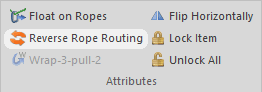
The Reverse Rope Routing command lets you modify how a rope enters and exits a piece of gear.
To reverse the rope routing, click on the gear to select it and then do one of the following:
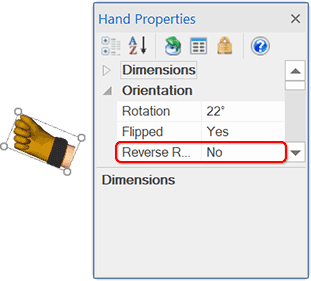
If the rope connects to the selected gear at two different locations, like this pulley, the Reverse Rope Routing command switches where the ropes connect to the gear.
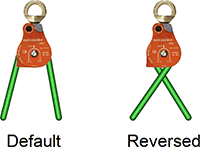
Although reversing the routing wasn't helpful in the above example, it is helpful when the ropes appear to enter the gear on the "wrong" sides.
If the rope connects to the selected gear at one location, like this carabiner, the Reverse Rope Routing command reverses the threading of the rope through the gear.
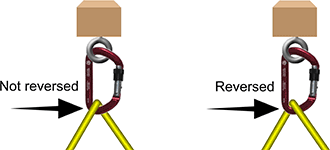
If you create your own gear using the Gear Builder, you can select the "Reverse the default rope routing" checkbox on the Gear Builder's Ropes page. That setting applies if the rope connects to the gear at two different locations. We used that setting for the Petzl I'D and similar gear.
Learn more about rope routing.