Gear that is anchored includes anchors, rocks, trees, tripods, trucks, etc.
A "bight" is a simple loop in a rope that does not cross itself.
A "bend" is a knot that joins two ropes together. Bends can only be attached to the end of a rope.
A "hitch" is a type of knot that must be tied around another object.
"Descending devices" (e.g., ATCs, Brake Bar Racks, Figure 8s, Rescue 8s, etc) create friction as their primary purpose. The friction in descending devices is always considered when calculating forces.
The "Safety Factor" is the ratio between the gear's breaking strength and the maximum load applied to the gear (e.g., 5:1).
Displaying Rope Lengths
The Rope Lengths dialog allows you to display rope angles, lengths, and dimensions. These values show the relative length of the ropes—they are not precise measurements.
Displaying the Rope Lengths Dialog
Do one of the following:
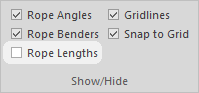
Click Rope Lengths in the Show/Hide group on the View toolbar.
Press Ctrl+L (i.e., Lengths).
Using the Rope Lengths Dialog
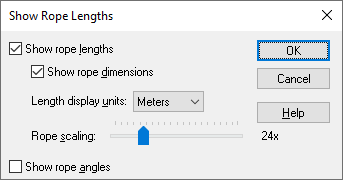
Select the Show rope lengths checkbox to display the lengths of the rope segments.
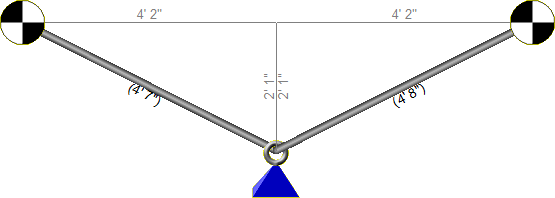
Select Show rope dimensions to show the vertical/horizontal dimensions between gear. (These are the gray numbers in the above illustration.)
Use the Length display units control to specify whether the measurements should be displayed in feet or meters.
Move the Rope scaling slider to adjust the relative scaling. (When this slider is all the way to the left, the rope measurements will be very similar to gear size. For example, three carabiners end-to-end will be approximately one foot. In most cases, you will want to move the slider to the right to exaggerate the rope distances.)
Select the Show rope angles checkbox to display the rope angles.